Firebase Authentication
Email/password and provider sign-in flows, account state, error handling, Android fingerprints, iOS URL schemes, and user-session behavior.
FLUTTER • FIREBASE • ANDROID & IOS
I diagnose and implement Flutter Firebase integrations across Authentication, Firestore, Cloud Messaging, initialization, security rules, and platform configuration—especially when debug, release, Android, and iOS do not behave the same way.
Flutter • Android • iOS • Firebase • App Publishing
THE RIGHT STARTING POINT
A failed login can come from Flutter state, provider setup, OAuth credentials, bundle or package identity, SHA fingerprints, URL schemes, or an error that the interface hides. A Firestore screen can appear empty because the query is wrong, initialization used the wrong project, rules reject the request, data has a different shape, or the UI never reacts to the stream. A notification may reach Android debug builds and fail everywhere else because APNs, entitlements, background handling, tokens, or release credentials are incomplete.
That is why I treat Flutter Firebase bug fixing as an end-to-end diagnosis. I trace the user action through Dart code, Firebase configuration, the platform project, Firebase Console settings, security rules where relevant, and the release environment. The fix should solve the actual path rather than silence one error and leave the system fragile.
RECOGNIZE THE SYMPTOM
These symptoms are useful starting points, but logs and platform configuration usually reveal the cause.
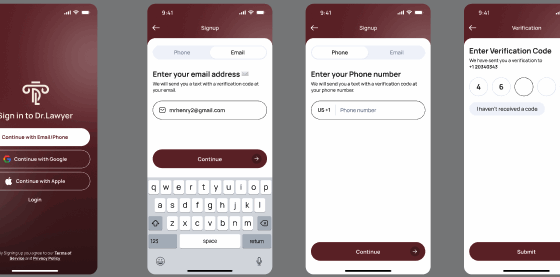
Email, Google, Apple, phone, or another sign-in method fails, loops, returns an unhelpful error, or works on only one platform.
A query returns nothing, streams do not update, writes fail, documents have inconsistent shapes, or permissions are denied.
FCM tokens, foreground handling, background delivery, notification taps, APNs, or release configuration behaves inconsistently.
The app reports no default app, duplicate initialization, incorrect options, missing configuration files, or startup errors.
The Dart code is shared, but GoogleService-Info.plist, capabilities, APNs, URL schemes, pods, or bundle settings are incomplete.
Different Firebase projects, signing fingerprints, environment values, build flavors, app checks, or native release settings create a hidden mismatch.
FOCUSED FLUTTER SUPPORT
The scope can be a new integration or a targeted fix in an existing application.
Email/password and provider sign-in flows, account state, error handling, Android fingerprints, iOS URL schemes, and user-session behavior.
Data models, reads and writes, queries, streams, pagination, error states, offline expectations, indexes, and rules-related failures.
Token lifecycle, permissions, foreground and background messages, notification taps, topics, Android channels, APNs, and release delivery.
google-services.json, package name, Gradle plugin, SHA fingerprints, manifest entries, notification permissions, and build variants.
GoogleService-Info.plist, bundle identifier, CocoaPods, capabilities, APNs keys or certificates, URL schemes, and app delegate setup.
Correct project selection, FlutterFire options, flavors, debug/release differences, startup ordering, and safe error visibility.
A PRACTICAL PROCESS
Firebase debugging is fastest when the failing user action, Flutter log, platform, build mode, and Firebase project configuration are examined together.
I review the error, reproduction steps, relevant logs, current Flutter and dependency versions, and the platform configuration around the failing flow.
I separate symptoms from the underlying problem and determine whether it comes from Dart code, native configuration, Firebase, an API, dependencies, signing, or store setup.
I implement the smallest maintainable fix, then test the affected flow and the nearby paths most likely to regress on Android, iOS, or both.
I explain what changed, call out any remaining product or store decisions, and prepare the code, build, or submission for its next step.
RELEVANT TECHNOLOGIES
The exact stack depends on the codebase and the problem. These are the technologies most relevant to this service.
WORKING TOGETHER
Credibility should come from how the work is handled—not inflated promises.
A precise diagnosis prevents unrelated rewrites and keeps the scope focused on the actual blocker.
I am comfortable entering an established codebase, tracing unfamiliar flows, and improving it without treating every issue as a rebuild.
Flutter shares application code, but release builds, permissions, signing, entitlements, and store requirements still need platform-specific attention.
You receive a practical explanation of the cause, the work completed, what was tested, and what you should do next.
I can trace problems across Flutter UI, state, Firebase, REST APIs, authentication, push notifications, and native configuration.
The affected path is checked after the fix, with attention to release-mode and cross-platform differences when they are relevant.
REAL WORK FROM THIS PORTFOLIO
These are existing projects already published on this website. Each card focuses on the problem and the application solution without inventing client metrics.


A CLEAR WAY TO START
Hire me securely through my Upwork profile or start with my fixed-price Flutter development service. The links open the official Upwork destinations in a new tab.
Fixed-price service on Upwork
FLUTTER DEVELOPMENT SERVICE
Development, bug fixing, Firebase and API integrations, publishing, and focused improvements for existing applications.
REDUCE THE BACK-AND-FORTH
A reproducible Firebase issue is much easier to solve than a broad “Firebase is broken” description.
Send My Firebase IssueThe exact user action and what you expected to happen
The full Flutter/native error and the platform or build mode affected
Which Firebase product and whether Android, iOS, debug, or release works
COMMON QUESTIONS
Practical answers before you share access or start a contract.
See what to send firstThe shared Dart implementation can be correct while the iOS project is missing the right GoogleService-Info.plist, bundle identifier, URL schemes, capabilities, APNs setup, pods, or native initialization. The failing Firebase product determines which configuration should be checked first.
Yes. I can trace the Flutter flow and the provider-specific Android, iOS, and Firebase Console configuration for sign-in methods such as email/password, Google, Apple, or phone authentication.
Yes, where the issue is connected to application access patterns. I can compare the signed-in user, document paths, reads and writes, and rule conditions. Broader security architecture should also be reviewed in the context of the full backend.
Common causes include different app identities or Firebase projects, missing release fingerprints, APNs credentials, entitlements, background modes, environment configuration, or token handling. Release logs and console settings help narrow it down.
No. Do not send passwords or private keys in an Upwork message. Access can be granted through appropriate project roles if the agreed scope needs console review, and sensitive credentials should remain controlled and revocable.
Yes. I can add or correct Firebase initialization and specific products while accounting for the app’s current architecture, environments, Android and iOS identities, and existing user/data flows.
NEXT STEP
Send the failing flow, error, platform, and build mode through Upwork. I will help trace the issue across Flutter, Firebase, Android, and iOS.