Flutter iOS project review
Check the iOS target, deployment settings, Info.plist, pods, native integrations, privacy descriptions, and release configuration.
FLUTTER • IOS • APP STORE
I help prepare Flutter iOS applications for archive, TestFlight, App Store Connect, and review—covering signing, bundle configuration, capabilities, release builds, submission blockers, and implementation-related rejection issues.
Flutter • Android • iOS • Firebase • App Publishing
THE RIGHT STARTING POINT
A Flutter feature can work correctly in development and still fail during archive, upload, TestFlight processing, external testing, or App Review. The iOS target has its own identity, deployment target, capabilities, entitlements, privacy descriptions, signing assets, native dependencies, and release behavior. App Store Connect adds another layer of records, agreements, metadata, screenshots, privacy answers, and review communication.
I help separate those layers. If Xcode cannot archive, we start with the build and native project. If upload fails, we inspect signing, bundle/version data, and validation output. If TestFlight installs but the app breaks, we compare release configuration and production services. If Apple rejects the submission, we map the exact review note to the product behavior, configuration, metadata, or response that needs attention.
RECOGNIZE THE SYMPTOM
The stage where the failure occurs is one of the strongest clues to its cause.
CocoaPods, build settings, deployment target, Swift/native code, dependencies, scripts, or release configuration prevents a valid archive.
The team, certificate, provisioning profile, bundle identifier, device entitlement, or distribution method does not align.
App Store validation reports version, icon, privacy manifest, entitlement, binary, bundle, or signing errors.
The release build launches differently, cannot connect to production services, crashes, or misses a capability that worked in debug.
The app record, bundle ID, version, agreements, privacy details, screenshots, review information, or build selection is blocking submission.
The review note points to a crash, missing feature, login access, privacy issue, purchase flow, metadata mismatch, or other correctable problem.
FOCUSED FLUTTER SUPPORT
Support can begin at the first failed archive or near the end of an existing submission.
Check the iOS target, deployment settings, Info.plist, pods, native integrations, privacy descriptions, and release configuration.
Align the Apple Developer team, distribution certificate, provisioning profile, signing mode, and App Store destination.
Correct application identity, entitlements, push notifications, Sign in with Apple, associated domains, and other required capabilities.
Resolve Xcode archive failures, CocoaPods conflicts, release-only crashes, environment differences, versioning, and validation errors.
Prepare builds for testing, connect the correct version, and work through the technical parts of submission setup and review access.
Interpret the exact review note, reproduce the reported behavior where possible, implement relevant corrections, and prepare resubmission context.
I cannot guarantee App Store acceptance because Apple controls final review. I can correct technical and configuration issues, help align the app and submission, and prepare a clear response for the next review.
A PRACTICAL PROCESS
I work from the exact stage and error: Flutter build, Xcode archive, validation, upload, TestFlight, submission, or App Review.
I review the error, reproduction steps, relevant logs, current Flutter and dependency versions, and the platform configuration around the failing flow.
I separate symptoms from the underlying problem and determine whether it comes from Dart code, native configuration, Firebase, an API, dependencies, signing, or store setup.
I implement the smallest maintainable fix, then test the affected flow and the nearby paths most likely to regress on Android, iOS, or both.
I explain what changed, call out any remaining product or store decisions, and prepare the code, build, or submission for its next step.
RELEVANT TECHNOLOGIES
The exact stack depends on the codebase and the problem. These are the technologies most relevant to this service.
WORKING TOGETHER
Credibility should come from how the work is handled—not inflated promises.
A precise diagnosis prevents unrelated rewrites and keeps the scope focused on the actual blocker.
I am comfortable entering an established codebase, tracing unfamiliar flows, and improving it without treating every issue as a rebuild.
Flutter shares application code, but release builds, permissions, signing, entitlements, and store requirements still need platform-specific attention.
You receive a practical explanation of the cause, the work completed, what was tested, and what you should do next.
I can trace problems across Flutter UI, state, Firebase, REST APIs, authentication, push notifications, and native configuration.
The affected path is checked after the fix, with attention to release-mode and cross-platform differences when they are relevant.
REAL WORK FROM THIS PORTFOLIO
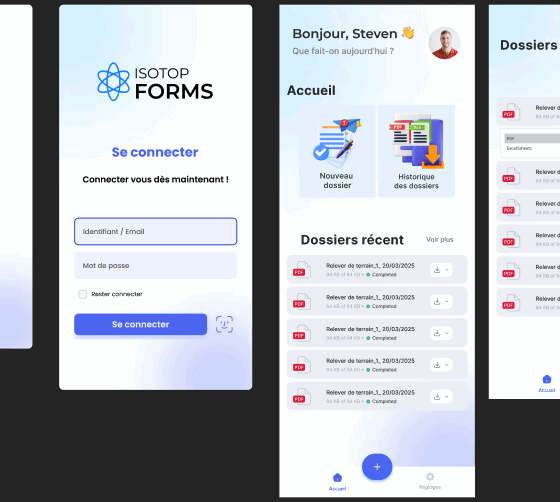
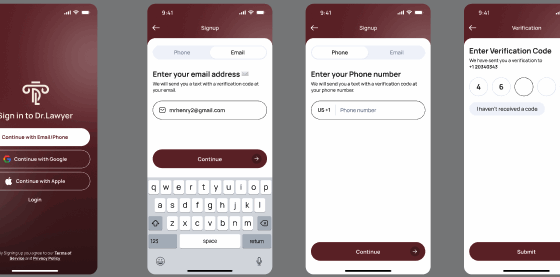
These are existing projects already published on this website. Each card focuses on the problem and the application solution without inventing client metrics.

A CLEAR WAY TO START
Hire me securely through my Upwork profile or start with my fixed-price Flutter development service. The links open the official Upwork destinations in a new tab.
Fixed-price service on Upwork
FLUTTER DEVELOPMENT SERVICE
Development, bug fixing, Firebase and API integrations, publishing, and focused improvements for existing applications.
REDUCE THE BACK-AND-FORTH
Tell me where the process stops so I can focus on the right system first.
Send My App Store IssueThe complete Xcode, upload, TestFlight, or App Review error
The current stage: archive, validation, upload, testing, or review
What works in debug and what changes in the release build
COMMON QUESTIONS
Practical answers before you share access or start a contract.
See what to send firstNo. Apple makes the final review decision and can raise product, policy, account, or implementation concerns. I can fix relevant technical issues, improve submission consistency, and help prepare a clear resubmission.
Yes. I can help align the Apple Developer team, certificate, provisioning profile, bundle identifier, entitlements, signing configuration, and App Store distribution target.
Yes. That often points to release environments, production APIs, Firebase configuration, entitlements, permissions, optimization, missing assets, or release-only native behavior. Device and crash logs are especially useful.
I can help identify the required technical and product information and review whether the submission matches the app. Full marketing copy or custom screenshot design can be scoped separately if needed.
I can interpret the review note, identify the relevant app behavior or configuration, implement technical corrections, and help prepare factual response context. The account owner should control the final communication and declarations.
Some tasks can be completed from code, logs, and screen sharing. Others may require an appropriate App Store Connect or Apple Developer role. Do not share passwords; use role-based access that can be limited and revoked.
NEXT STEP
Send the current publishing stage and the full error through Upwork. I will help identify what needs attention before the next TestFlight build or submission.